Footnotes are an extension, not standard Markdown
- Footnotes are an extension, absent from both original Markdown and CommonMark.
- A reference such as
[^1]goes in your prose, and its definition can sit anywhere in the file. - Named labels beat numbers, because the renderer assigns the display numbers whatever you call them.
- A second paragraph inside a note needs four spaces of indent, or it escapes into the body text.
Start with the honest part. Footnotes were not in John Gruber's original 2004 Markdown, and they are not in CommonMark either. Every implementation comes from an extension. PHP Markdown Extra defined the syntax in 2005, MultiMarkdown and Pandoc adopted it, and GitHub shipped it in 2021.
Wide support, but not universal
GitHub, GitLab, Obsidian, Pandoc, MultiMarkdown and nearly every static site generator handle footnotes. Reddit, Discord, Notion and any plain CommonMark parser do not. An unsupporting renderer has no fallback to offer, so it prints the brackets as literal characters.
None of this makes footnotes a bad idea, only a context-dependent one. They sit in the same family as tables and task lists from the GitHub Flavored Markdown set. What Markdown actually is explains why the core stayed so small.
The reference and the definition
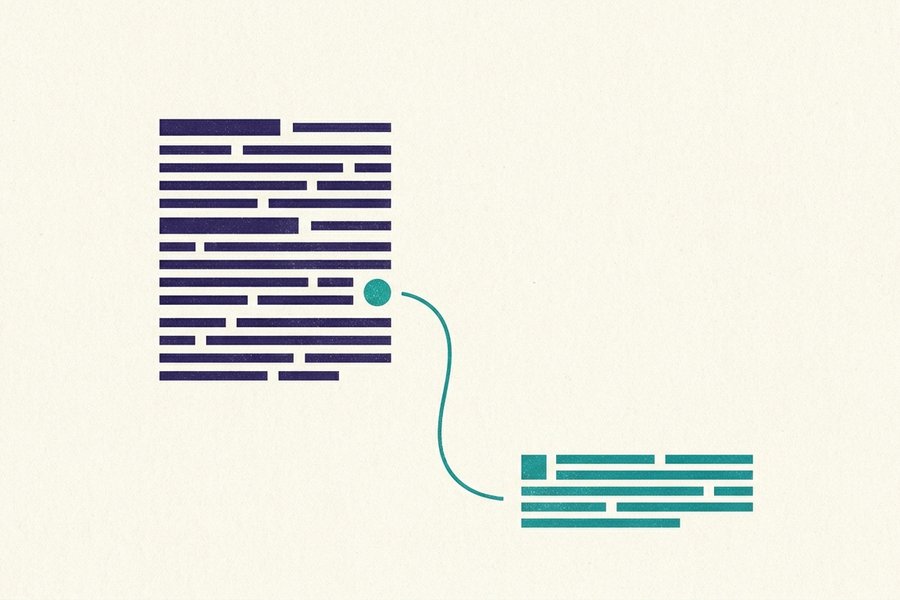
Footnotes come in two halves. The reference goes in your prose, and the definition holds the note text:
The parser was rewritten in 2019.[^1]

[^1]: The rewrite replaced a regex engine with a proper tokeniser.
The reference is a caret inside square brackets. The definition repeats the same label, then a colon, a space and the note. That is the whole syntax.
Where the definition goes
Anywhere in the document: under the paragraph that references it, grouped at the end of a section, or all together at the bottom of the file. The rendered output is identical, because the renderer collects every definition and prints them in one block at the foot of the page.
Two conventions work well. Keep the definition beside its reference while drafting, then move everything to the bottom before publishing. Or put them at the bottom from the start and treat that block like a bibliography. What you should not do is scatter them at random - The rendered page will not care, but the next person editing the file will.
What the renderer generates for you
Three things you never have to write yourself:
- A horizontal rule and a footnote list at the bottom of the page.
- Sequential numbers, assigned in order of first reference, whatever your labels say.
- A return arrow at the end of each note, linking back to the exact spot in the text.
That last one is the part readers notice, because it lets them jump down and back without losing their place. A footnote referenced twice gets two back-links on GitHub.
Named labels beat numbers
A label does not have to be a number. Anything without spaces works:
Our pricing changed in March.[^pricing-2024]
The migration is still running.[^migration-status]

[^pricing-2024]: Volume discounts moved from 3 tiers to 5.
[^migration-status]: About 60% of rows have been backfilled.
This is the single best habit on the page. Numbered labels create the same problem as hand-numbered lists. Insert a note into a long document and you either renumber everything below it, or live with [^1], [^2], [^7], [^3]. Named labels never need renumbering, survive reordering, and tell you what the note says without scrolling.
The rendered page is unaffected either way. Readers see 1, 2, 3 in document order whatever your labels say, because the renderer assigns the display numbers. Labels are purely for you.
Rules for labels
- Keep them to letters, digits and hyphens. Spaces break the match in most parsers, so
[^pricing note]fails where[^pricing-note]works. - Matching is case-insensitive nearly everywhere, so
[^Note]and[^note]are one footnote rather than two. - Labels live in a separate namespace from link references, so
[^spec]will not collide with a reference link called[spec].
Tip: Name the label after the claim it supports, not after the source. [^churn-figure] still makes sense in six months, while [^smith2023] only helps if you remember who Smith was. Reference-style links reward exactly the same habit.
Multi-paragraph footnotes
A footnote can run to several paragraphs, a list or a code block. The continuation must be indented four spaces, so the parser knows it still belongs to the note:
[^benchmark]: All timings come from a 2023 M2 Pro, single run.

    Warm cache only. Cold-start numbers were roughly 40% slower
    and are excluded because they varied too much between runs.

    ```bash
    hyperfine --warmup 3 './parse corpus.md'
    ```
Four spaces is the number to remember. Miss it and the paragraph escapes into your body text, at whatever point the definition happens to sit. That is usually the very bottom of the file. Tabs work in some parsers and not others, so use spaces, exactly as the lists reference recommends.
Blank lines inside the note are fine, as long as every continuation line keeps the indent. A single-line footnote needs no indentation at all. That is why the rule only catches people out once a note grows past one paragraph.
What cannot go in a footnote
Definitions cannot live inside a table cell on GitHub, and a footnote inside another footnote is not reliably supported anywhere. Headings render but look wrong, since the note is already a list item. Short prose, a link, a small code sample: that is the sweet spot.
Watch out: A fenced code block inside a note needs the four-space indent on the fences too, not only on the code. Indent one and not the other and the block breaks open, taking the rest of the note with it.

Inline footnotes
Pandoc and Obsidian support a shorthand that puts the note text directly in the sentence. There is no separate definition, and no label to invent:
The build is reproducible.^[Given the same lockfile and toolchain version.]A caret, then the note in square brackets. The renderer still numbers it, moves it to the bottom of the page and adds the back-link. For a short aside it is the fastest thing in Markdown.
Two limits worth knowing
- GitHub does not support inline footnotes. Neither does GitLab, nor Python-Markdown as used by MkDocs. The line above prints as a literal caret followed by bracketed text, which reads as a typo.
- An inline footnote cannot contain a blank line, so it cannot hold more than one paragraph. Once the aside grows, convert it to a labelled footnote.
If a file might land in a repository, use the two-part [^label] form and keep inline footnotes for Obsidian and Pandoc. The Obsidian guide covers the rest of its house extensions and the same portability question.
Platform support at a glance
The last column matters most, because a footnote that fails does not fail quietly:
| Platform | [^1] reference syntax | Inline ^[text] | Fallback when unsupported |
|---|---|---|---|
| GitHub | Yes, since 2021 | No | Inline form prints as literal text |
| GitLab | Yes | No | Inline form prints as literal text |
| Obsidian | Yes | Yes | Not applicable |
| Pandoc | Yes | Yes | Not applicable |
| MkDocs (Python-Markdown) | Yes, with the footnotes extension | No | Literal brackets if the extension is off |
| Docusaurus (MDX + remark-gfm) | Yes | No | Inline form prints as literal text |
| Hugo (Goldmark) | Yes, on by default | No | Inline form prints as literal text |
| Jekyll (kramdown) | Yes | No | Inline form prints as literal text |
| No | No | ^ is superscript, so you get a raised 1 in brackets | |
| Discord | No | No | Every character prints exactly as typed |
| Notion | No | No | Pasted footnotes arrive as plain text |
| Plain CommonMark | No | No | Reference stays literal; the definition line becomes an ordinary paragraph |
The Reddit row is the nasty one
Reddit uses ^ for superscript. Your [^1] becomes a bracketed raised digit that looks almost right and links nowhere, while the definition renders as a stray paragraph. Nothing reports an error, so the post ships broken.
Tip: Before committing a file to an unfamiliar platform, publish one throwaway note and look at the foot of the page. Thirty seconds of checking beats rewriting forty references later, and the cheat sheet tells you which platforms are worth testing first.
When a footnote is the wrong tool
Footnotes are for material a reader can safely skip. Three cases call for something else:
Use a parenthetical
If the aside is under about a dozen words, brackets in the sentence cost the reader nothing. A footnote costs them a jump to the bottom of the page and back. On a phone that is genuinely disruptive.
Use a plain link
A footnote whose entire content is a URL is a link wearing a costume. Write [the 2023 report](https://example.com/report) and let the reader click it. Save footnotes for a source that needs context: a page number, a caveat, or the date the figures were pulled.
Use a manual notes section
When the target renderer has no footnote support, build the pattern by hand with anchors. It is more work, but it degrades to readable text everywhere:
Revenue doubled in Q3.<sup id="ref-1">[1](#note-1)</sup>

## Notes

<a id="note-1"></a>
1. Unaudited internal billing figures. [Back to text](#ref-1)
Those tags need a renderer that allows inline HTML, which most do outside chat apps. Where HTML is stripped, drop the tags and link to the #notes heading anchor instead. The headings reference covers how those anchors are generated. In chat, put the note in a following message or a blockquote and stop pretending it is a footnote.
Common mistakes and their fixes
1. Missing colon in the definition. Without it the line is just a paragraph, and the reference has nothing to bind to. Broken:
[^1] The rewrite replaced a regex engine.Fixed:
[^1]: The rewrite replaced a regex engine.2. Continuation paragraph not indented. The second paragraph leaves the note and appears in the body text. Broken:
[^benchmark]: Timings from a 2023 M2 Pro.

Warm cache only, cold starts excluded.
Fixed with four spaces:
[^benchmark]: Timings from a 2023 M2 Pro.

    Warm cache only, cold starts excluded.
3. A space inside the label. The reference and definition no longer match, so both print literally. Broken:
Prices changed.[^pricing note]

[^pricing note]: Five tiers instead of three.
Fixed with a hyphen:
Prices changed.[^pricing-note]

[^pricing-note]: Five tiers instead of three.
Three faults with no code to show
- A reference with no definition.
[^3]with nothing to match renders as literal characters in the middle of your sentence. Search the file for every label before publishing. - An unused definition. The opposite case is silent. A definition nobody references is not rendered at all on GitHub, so a note you thought you added never appears. Usually the reference was deleted during an edit and the definition left behind.
- Two definitions with the same label. Behaviour is undefined across parsers: some take the first, some the last, some render both. Rename one of them.
The reliable check is to render the file before publishing. Paste it into the editor and read the bottom of the page. Every note should be there, numbered in the order the text mentions them, each with a working back-link. The complete guide puts footnotes alongside every other element, and the FAQ answers the questions that come up next.
Support data verified
Frequently Asked Questions
Are markdown footnotes part of the standard?
No. Footnotes are not in original Markdown and not in CommonMark. They come from PHP Markdown Extra, adopted by Pandoc, MultiMarkdown, GitHub, GitLab, Obsidian and most static site generators. Reddit, Discord, Notion and plain CommonMark parsers print the brackets as literal text.
Where do I put the footnote definition?
Anywhere in the document. The renderer collects every definition and prints them together at the bottom of the page, so the position in your source file changes nothing about the output. Keeping them near the reference while drafting and moving them to the end before publishing works well.
Can I use words instead of numbers for footnote labels?
Yes, and you should. [^pricing-2024] is far easier to maintain than [^7], because inserting a note never forces you to renumber anything. Readers still see 1, 2, 3 in document order, since the renderer assigns the display numbers. Avoid spaces in labels.
Why is my second footnote paragraph showing in the body text?
The continuation is not indented. Every paragraph after the first in a footnote needs four spaces of indentation to stay attached to the note. Without it the paragraph escapes and renders wherever the definition happens to sit in the file, usually right at the bottom.
Do inline footnotes work on GitHub?
No. The ^[note text] shorthand works in Obsidian and Pandoc only. GitHub, GitLab and MkDocs print it as a literal caret followed by bracketed text. Use the two-part [^label] form for anything that might end up in a repository.
Keep learning
Try the Editor
Try the Editor