The six ATX levels
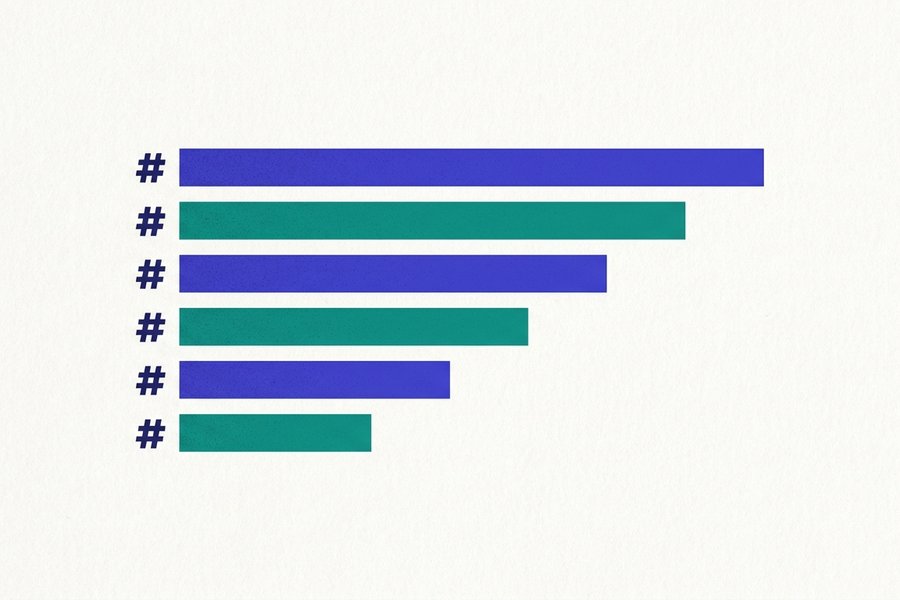
- Six levels exist, written with one to six hashes, and the space after the last hash is compulsory.
- Use one H1 per document and never skip a level, because screen readers and crawlers read the outline as a tree.
- Every heading quietly gets an anchor ID: lowercased, punctuation dropped, spaces turned into hyphens.
- A row of hyphens under a line of text is not a horizontal rule - It turns that line into an H2.
A heading is one to six hash characters at the start of a line, a space, then the text. That is ATX style, and it is what nearly everyone writes:
# Release notes
## Version 2.4
### Bug fixes
#### Parser
##### Edge cases
###### Known regressions
Those six lines become <h1> through <h6>. Seven hashes is not a heading at all. HTML stops at six, so the line renders as literal text.
The space after the hash is required
This is the most common heading failure of all. #Release notes is a paragraph; # Release notes is a heading. CommonMark and GitHub Flavored Markdown both demand a space or tab after the last hash. The original Markdown.pl was relaxed about it, and a few legacy renderers still are. That is why an old file can render in one tool and break in another.
Closing hashes, indentation and escaping
A heading may be closed with a second run of hashes. It is decorative, any length, and need not match the opening:
## Version 2.4 ##
## Version 2.4 ###########
Both give <h2>Version 2.4</h2>. The closing run must have a space in front of it, though. Write ## Version 2.4## and the heading text is literally "Version 2.4##".
Up to three spaces before the opening hash are ignored. A fourth turns the line into an indented code block, so the hashes appear verbatim. To start a line with a real hash, escape it: \# not a heading. The quick reference table has all six levels on one screen.
Tip: When a heading refuses to render, count the spaces in front of it before checking anything else. Four spaces is an indented code block, and leading spaces are invisible in most editors.
Setext headings and the dashed-line trap
Markdown has an older second syntax: underline the text with equals signs for level 1, hyphens for level 2.
Release notes
=============

Version 2.4
-----------
These are Setext headings. One character is enough, since = and =========== mean the same thing, and the underline need not match the title's width. The text may even wrap across several lines, which ATX cannot do.
Only two levels exist
There is no Setext equivalent of H3 to H6. A document written this way has to switch to hashes the moment it needs a third level. Most formatters, Prettier included, rewrite Setext to ATX anyway. Use hashes for new writing.
The trap that catches everybody
Because hyphens under text create an H2, this does not do what it looks like:
Deploy the build, then run the smoke tests.
---
The next section starts here.
The author wanted a horizontal rule. They got an H2 containing that whole sentence. A blank line fixes it, detaching the hyphens so they read as a thematic break:
Deploy the build, then run the smoke tests.

---

The next section starts here.
Two habits stop it coming back:
- Write rules as
***or___. Neither can ever be mistaken for a heading underline. - Remember that YAML front matter in Jekyll, Hugo and Astro also uses
---, and only counts as front matter at the very top of a file.
Hierarchy: one H1, and no skipped levels
Heading levels are not font sizes. They are a nesting structure, and assistive technology and search crawlers both read them as one.
One H1 per document
The H1 is the title: what the whole document is about. Two of them tell a screen reader the page contains two documents. Many static site generators already emit an H1 from the title in your front matter. Where that happens, the Markdown body should start at H2, so check the rendered HTML first.
Do not skip levels
Jumping from ## to #### because the smaller size looked nicer breaks the outline. It costs you in three separate places:
- Screen reader navigation. Users pull up a list of headings and move by "next heading at this level", and a missing level leaves an H4 with no parent.
- Accessibility audits. Automated checks flag it, and it counts against WCAG 1.3.1 Info and Relationships.
- Search. Crawlers use the heading tree to work out which passage answers which question, and featured snippets lean on that structure.
Style headings with CSS if the sizes bother you, and keep the levels honest. Running a draft through the table of contents generator shows the outline you actually wrote, gaps included.
| Markdown | HTML | Typical use | Example heading | Generated ID |
|---|---|---|---|---|
# | <h1> | Page title, once only | # Markdown Style Guide | #markdown-style-guide |
## | <h2> | Main sections, the level a table of contents uses | ## Getting Started | #getting-started |
### | <h3> | Sub-topics inside a section | ### Install the CLI | #install-the-cli |
#### | <h4> | API entries, per-option notes, edge cases | #### Windows notes | #windows-notes |
##### | <h5> | Rare, deep reference material only | ##### Return values | #return-values |
###### | <h6> | Rarer, often a sign the page should be split | ###### Legacy flags | #legacy-flags |
text + === | <h1> | Setext level 1, legacy files | Release Notes | #release-notes |
text + --- | <h2> | Setext level 2, legacy files | Version 2.4 | #version-24 |
How heading IDs and anchor links are generated
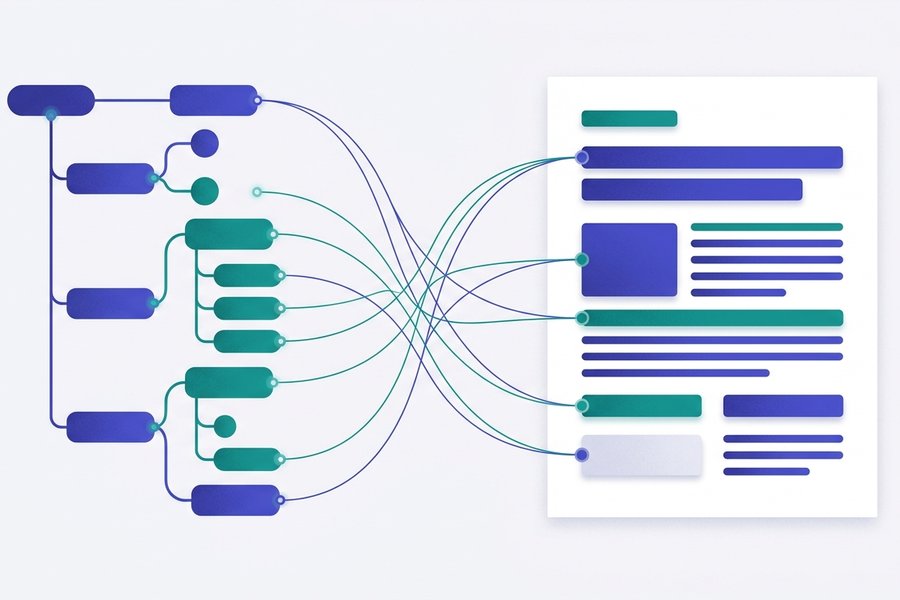
Every heading on GitHub, GitLab and most documentation sites silently gets an id. That is what lets you link to a spot halfway down a long README. The slug comes from the heading text through a short pipeline:
## Setting Up the API Key (v2.1)!

1. Strip the markup   -> Setting Up the API Key (v2.1)!
2. Lowercase          -> setting up the api key (v2.1)!
3. Drop punctuation   -> setting up the api key v21
4. Spaces to hyphens  -> setting-up-the-api-key-v21
So the anchor is #setting-up-the-api-key-v21. Note what became of 2.1: the dot is punctuation and vanishes, leaving v21. Inline formatting is stripped too, so ### The **important** part yields #the-important-part.
Duplicate headings get a numeric suffix
## Installation      -> #installation
## Configuration     -> #configuration
## Installation      -> #installation-1
## Installation      -> #installation-2
This is why a link that worked last month can land on the wrong section. Somebody added an earlier heading with the same text, and every suffix below it shifted by one. Give repeated headings distinguishing words.
Linking to a heading
See [the install steps](#setting-up-the-api-key-v21) first.

[install steps](docs/setup.md#setting-up-the-api-key-v21)
The links reference covers relative paths, reference-style links and escaping. When a jump link does nothing, do not debug the slug rules. Open the rendered page, hover the heading, and copy the anchor from the link icon.
Tip: To turn those IDs into a whole contents list, paste the document into the table of contents generator. It applies the same slug rules described above, so the anchors it writes are the ones your renderer will create.
Pinning an ID by hand
Python-Markdown, kramdown, Pandoc and MkDocs let you fix an ID with a trailing {#api-key}. GitHub prints that as literal text. There, an <a id="api-key"></a> line above the heading does the same job, since Markdown accepts raw HTML.
Headings inside quotes, lists and paragraphs
A heading is a block element, so it fits inside any block that accepts blocks.
Inside a blockquote
> ## Deprecation notice
>
> The v1 endpoint stops responding in March.
Prefix every line, the heading included. It still gets an ID, and it still shows up in an auto-generated table of contents. The blockquotes reference covers nesting and the callout syntaxes built on quotes.
Inside a list item
Indent the heading to the item's content column and leave a blank line above it:
1. Prepare the machine

   ### Requirements

   Node 20 or newer, and 2 GB of free disk.

2. Run the installer
It works, but think twice. A heading inside a list claims a place in the outline while visually reading as a sub-item, and it makes the list loose, which respaces every item. Bold is usually better there; see the bold and italic reference. Indentation rules for nested content are in the lists reference.
With no blank line above it
CommonMark and GFM let an ATX heading interrupt a paragraph, so this renders as a paragraph plus an H2:
The build finished in 40 seconds.
## Next steps
Older engines are less forgiving, and some swallow the heading into the paragraph, printing the hashes as text. Setext behaves differently again, since a hyphen row directly under a paragraph line reads as an underline.
Watch out: Leave a blank line above every heading, whatever your renderer allows. One below is optional, though it makes the raw file far easier to scan when you come back to it.
Emoji, CJK and how long a heading should be
Emoji
Emoji render fine in a heading, pasted directly or, on GitHub, as a shortcode such as :rocket:. The complication is the ID. Emoji are stripped during slug generation, and the space they leave becomes a hyphen, so a leading emoji produces an anchor that starts with one.
## 🚀 Getting started -> #-getting-startedThat anchor works. It just looks wrong written by hand. Put the emoji after the text, or copy the anchor from the rendered page.
Chinese, Japanese and Korean
CJK characters survive slug generation on GitHub, so ## 安裝步驟 becomes #安裝步驟. Browsers show it percent-encoded when you copy it, which is normal and still works. Static site generators are less consistent:
- Some keep the characters exactly as GitHub does.
- Some transliterate to pinyin or romaji.
- A few give up and fall back to
#section-1.
Test one anchor before writing fifty. Full-width punctuation is dropped like ASCII punctuation, so ## 安裝步驟(進階) becomes #安裝步驟進階.
Length
Keep headings under roughly sixty characters. Long ones wrap awkwardly in tables of contents, produce unwieldy anchors, and get truncated when a search engine lifts them into a result. Front-load the words that matter: "Configuring SSO" beats "A few notes on how you might go about configuring SSO for your team".
Common mistakes and their fixes
1. No space after the hash. The line stays a paragraph and the hashes print. Broken, then fixed:
#Introduction

# Introduction
2. A horizontal rule that turns into a heading. Three hyphens directly under text underline it instead. Broken:
That covers the setup.
---
Fixed with a blank line, or by writing the rule as ***:
That covers the setup.

---
3. Skipping a level for visual reasons. Broken outline, then the fix, which you can style down with CSS if it looks too big:
## Configuration
#### Environment variables

## Configuration

### Environment variables
4. Bold text standing in for a heading. It is invisible to the outline, to screen reader navigation and to every table of contents generator, and it produces no ID to link to. Broken, then fixed:
**Environment variables**

### Environment variables
5. An anchor typed from the heading text. Capitals, spaces and punctuation do not survive. Broken, then fixed:
[jump](#Setting Up the API Key (v2.1))

[jump](#setting-up-the-api-key-v21)
When a heading refuses to behave, paste it into the editor on its own, with a blank line above and below. If it renders there, the problem is context: an indent, a missing blank line, or a list item it was trapped inside. The complete Markdown guide puts headings in sequence with every other element, and what Markdown is explains why a plain-text format cares so much about blank lines. For what usually goes under a heading, see the code blocks and images references.
Support data verified
Frequently Asked Questions
How many heading levels does Markdown have?
Six, written with one to six hash characters and mapping to <h1> through <h6>. Seven or more hashes is not a heading and renders as literal text. The alternate Setext syntax, underlining with = or -, only offers the first two levels.
Why is my Markdown heading not rendering?
Almost always a missing space: #Title is a paragraph, # Title is a heading. The other two causes are four or more spaces of indentation, which turns the line into a code block, and a stricter renderer that wants a blank line above the heading. Add the space and the blank line and it will render.
Should a Markdown document have only one H1?
Yes. The H1 is the document title, and a second one tells screen readers and crawlers that the page contains two documents. If your static site generator already renders the title from front matter, start the Markdown body at ## so the page does not end up with two.
How are Markdown heading anchor IDs created?
The text is lowercased, punctuation is removed and spaces become hyphens, so ## Setting Up the API Key (v2.1)! becomes #setting-up-the-api-key-v21. Repeated headings get -1, -2 and so on. Copy the anchor from the rendered heading's link icon instead of typing it by hand, or let the table of contents generator write them for you.
Why did my three dashes become a heading instead of a line?
A row of hyphens directly beneath a line of text is Setext syntax for a level 2 heading, so the text above it becomes an H2. Put a blank line between the text and the hyphens, or write horizontal rules as ***, which can never be read as a heading underline.
How do I add a horizontal line in Markdown?
Put three or more hyphens, asterisks or underscores on a line of their own, so ---, *** and ___ all draw the same <hr> rule. Leave a blank line above it. Without that blank line, --- sitting directly under text is read as a Setext underline and converts the text into a heading instead of drawing anything. Getting into the habit of *** avoids the clash entirely, and the cheat sheet collects the other block-level markers.
Keep learning
Try the Editor
Try the Editor