The 10-second explanation
- Markdown is plain text plus a few punctuation marks that software turns into formatting.
- John Gruber released it in 2004 with help from Aaron Swartz; CommonMark made it precise in 2014.
- It powers GitHub, Reddit, Discord, Notion, Obsidian, most blogs and most AI chat tools.
- The core is about a dozen rules, so an hour of real use is enough to feel fluent.
The idea in one line
Markdown is a lightweight markup language. That is a formal name for a very simple idea. You add a few punctuation characters to plain text, and software turns them into formatting. A # at the start of a line makes a heading. **Double asterisks** around a word make it bold. Lines that begin with - become a bulleted list. That is genuinely most of it, and the syntax reference holds the rest.
A ten-second example
You type this:
# Shopping list

I **really** need these before *Friday*:

- Coffee beans
- Oat milk
- A new notebook

More ideas at [our site](https://mdeditor.tw).
Any Markdown-aware app shows it as a proper document. "Shopping list" becomes a large bold heading. "really" turns bold and "Friday" turns italic. The three items become a real bulleted list, and "our site" becomes a clickable link.
Why the raw version still reads fine
Here is the trick that made Markdown win. The unformatted version is still perfectly readable. Someone who has never heard of Markdown could read that shopping list and understand exactly what was meant.
Compare it with raw HTML, where your words hide between <strong> and <ul><li> tags, or with what a word processor stores behind the scenes. It gives you formatting without burying your writing in machinery. Our Markdown and HTML comparison sets the two side by side.
Tip: Do not read about it for long. Paste the example above into the live editor and change a line. Watching the preview react teaches the syntax faster than any explanation can.
Where Markdown came from
The short timeline
- 2004 - John Gruber, the writer behind the influential Apple blog Daring Fireball, releases Markdown as a small Perl script plus a page of syntax notes that is still online today.
- The collaborator - Aaron Swartz, the programmer and internet activist who helped shape RSS and later co-founded Reddit, works on the design with him.
- The stated goal - The opening line of those notes still defines the project: make the text "as readable as possible".
- 2014 - CommonMark turns the loose original into a precise, testable specification, so different parsers finally agree on the output.
- Ever since - GitHub, note apps and site builders each pile their own extensions on top. That is where today's flavors come from.
Why Gruber built it this way
The core philosophy was modest to the point of being radical. In 2004, formatting text for the web meant writing HTML by hand or fighting a clunky visual editor. Gruber noticed something simpler. People had already invented their own conventions for plain text.
In email, writers emphasized words with *asterisks*, made lists with dashes, and quoted replies with >. Gruber just formalized what they were doing anyway. A document would read naturally before conversion, not only after it.
The first release deliberately did very little. No tables, no footnotes, no spec-lawyer precision. That restraint left room for other people to carry it further, and they did, spectacularly. One blogger's tool for writing posts became the closest thing the internet has to a shared writing format. The full Markdown guide picks up where that first release stopped.
Where Markdown is used today (nearly everywhere)
Once you recognize Markdown, you start seeing it everywhere.
Where developers meet it
- GitHub - Every README, issue, pull request and wiki is Markdown. Millions of developers learn it here first.
- Documentation systems - Docusaurus, MkDocs and most modern doc platforms are Markdown-first. If your job ever touches technical docs, you will write Markdown.
- Static site generators - Hugo, Jekyll and Astro build entire websites from folders of Markdown files. Write a post, push it, and it becomes a web page.
GitHub's dialect is the one most people end up writing, and it is worth knowing by name. It is called GitHub Flavored Markdown, or GFM for short.
Where everyone else meets it
- Reddit - Comments and posts support Markdown formatting.
- Discord - Chat messages use it for bold, italics, code and spoilers.
- Slack - A partial and slightly nonstandard dialect, where single asterisks mean bold. Worth knowing, so the quirks do not confuse you.
- Notion and Obsidian - The two giants of modern note-taking. Obsidian stores your notes as plain
.mdfiles on your own disk. Notion reads Markdown syntax as you type, and imports and exports it. - AI chat tools - ChatGPT, Claude and Gemini format their answers in Markdown, and they understand it in your prompts too. Knowing Markdown now literally helps you talk to machines.
Every app bends the rules a little. We keep notes on the big ones, including Markdown in Notion and Markdown in Obsidian, and the platform hub lists the rest.
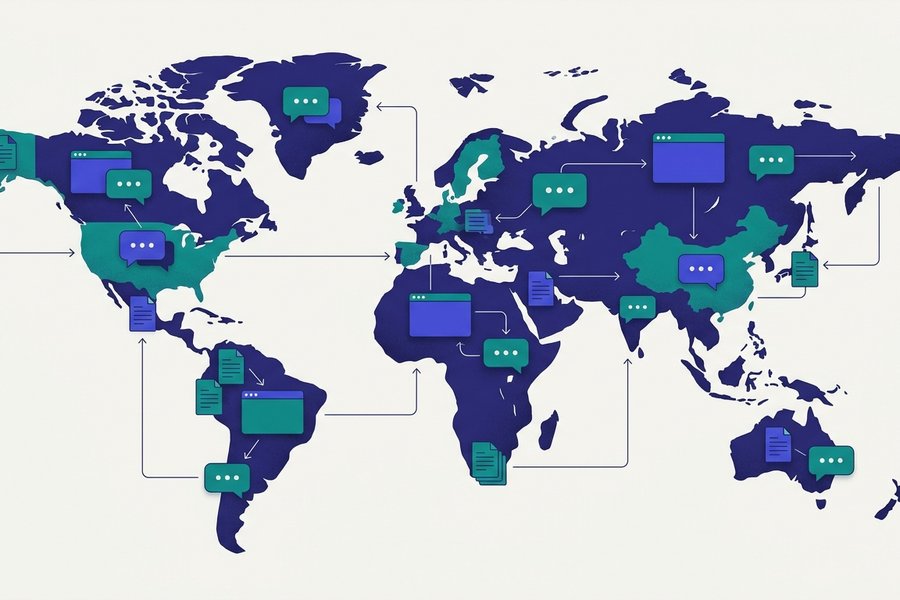
This breadth is the practical argument for learning it. One small skill, learned once, works in your code host, your notes app, your team chat, your blog and your AI assistant.
How it works under the hood
Plain text in, HTML out
The pipeline is short: plain text → parser → HTML. You write text using Markdown conventions. A program called a parser reads it and spots the patterns - "This line starts with #, so it is a heading" - Then outputs HTML, the language browsers display.
When the editor on this site shows you a live preview, that is the parser running on every keystroke, right inside your browser.
Why .md files outlive their apps
Markdown documents are usually saved with the .md file extension, sometimes .markdown. Here is the underrated part: a .md file is just a plain text file. It opens in Notepad, TextEdit, VS Code, vim or your phone's notes app. Anything that can display text can display it, on any operating system.
That durability matters more than it sounds. Documents locked in proprietary formats tend to die with the software that created them. Anyone who has tried to open a decades-old word-processor file knows the feeling.
Plain text is the most durable digital format we have. It is readable today and readable in fifty years. Writing in Markdown means no lock-in. Your notes, posts and documentation belong to you and not to an app, and moving them between tools is a copy and paste.
Flavors and standards: not all Markdown is identical
One honest caveat. "Markdown" is a family of dialects, not a single fixed language.
The four names you will meet
- Original Markdown - Gruber's 2004 Perl script. Historically important, but its loose rules let different tools disagree about edge cases.
- CommonMark - A 2014 community effort that turned Markdown into a precise, testable specification, so every compliant parser agrees on the output. Most modern tools build on it.
- GFM (GitHub Flavored Markdown) - CommonMark plus GitHub's popular extensions: tables, task lists, strikethrough and autolinks. This is the dialect most people actually write.
- MultiMarkdown and Pandoc - Academic and publishing dialects. They add citations, footnotes and conversion to PDF, Word and LaTeX. Pandoc in particular is the Swiss Army knife of document conversion.
If you only learn one dialect, learn GFM. Our GFM guide covers what it adds and how GitHub renders each piece.
Does the difference matter?
Sometimes. A table written in GFM shows up as a jumble of pipe characters in a tool that only speaks original Markdown. That is the kind of surprise that makes people distrust the whole format.
The rule of thumb is reassuring, though. The core - Headings, emphasis, lists, links, images, code - Behaves identically everywhere. Dialects only diverge on the extras. Learn the core once, then check what your target platform supports before you lean on an extension.
Watch out: Chat apps are the usual trap. Discord and Slack each speak a reduced dialect of their own, so a message that looked right in your notes app can arrive with stray asterisks in it. The platform guides say what survives where.
Should you learn Markdown? (Probably, yes)
Who gets the most out of it
Markdown was born among programmers, but the people who benefit go far beyond them:
- Developers - READMEs, issues, code review comments and docs are all Markdown. It is effectively a job requirement.
- Writers and bloggers - Draft in plain text, publish anywhere. Many content systems and every static site generator take Markdown directly, and drafts never get mangled in transit.
- Students and researchers - Fast, structured lecture notes that still open in twenty years. Clean headings and lists, and no hunting for a toolbar mid-lecture.
- Note-takers and knowledge-builders - Obsidian, Notion and the whole personal-knowledge-management world runs on Markdown. Your second brain deserves a portable format.
A half-hour learning path
The investment is honestly tiny. The core syntax is perhaps a dozen rules, and most people are comfortable within an hour of real use. Here is the order we recommend:
- Skim the quick reference table. Five minutes to see every common element at a glance.
- Practice in the free online editor. Type the examples and watch the live preview answer. Seeing the result instantly is what makes syntax stick.
- Deepen with the complete guide. Images, code blocks, nested lists and the finer points, once you want them.
That is the whole curriculum. No installation, no account, no cost. Just a browser tab and half an hour of curiosity.

Frequently Asked Questions
Is Markdown a programming language?
No. the format is a markup language - It describes how text should look, not instructions for a computer to execute. There's no logic, no variables, nothing to "run." If you can format an email, you can write Markdown.
Do I need special software to write Markdown?
No. Any plain text editor works - Notepad, TextEdit, anything. A dedicated editor with live preview, like our free online editor, just makes learning faster because you see the formatted result as you type.
What is a .md file and how do I open it?
A .md file is a plain text file containing Markdown. Open it with any text editor, or with a Markdown app to see it formatted. GitHub, VS Code, Obsidian and our editor all render .md files with full formatting.
How long does it take to learn Markdown?
The core syntax takes about ten minutes to understand and an hour of practice to feel natural. Start with the cheat sheet, then write something real in the editor - That's genuinely all it takes.
What's the difference between Markdown and HTML?
HTML is the web's full-powered markup language; Markdown is a human-friendly shorthand that converts to HTML. Markdown covers the 95% of formatting most writing needs with far less typing, and you can embed raw HTML in Markdown when you need the remaining 5%. See our Markdown vs HTML comparison.
Can I use Markdown in email?
Usually not directly. Most email clients send plain text or HTML and carry no Markdown parser, so your asterisks and hashes land in the inbox exactly as typed. Some tools close the gap by converting Markdown to HTML before the message goes out, including newsletter platforms and a handful of mail plugins and Gmail extensions. The dependable route is to draft in Markdown, convert, then paste the result, which our Markdown to HTML converter handles in one step.
Can I password protect a Markdown file?
No. A .md file is plain text with no encryption of any kind, and nothing in the format can lock it. Protect it at the file or disk level instead: put it inside an encrypted archive, keep it on an encrypted disk, or lean on your repository's access control. If the worry is a draft leaking while you write it, our free online editor keeps everything in your browser, though the file you save at the end is still plain text.
Keep learning
Try the Editor
Try the Editor