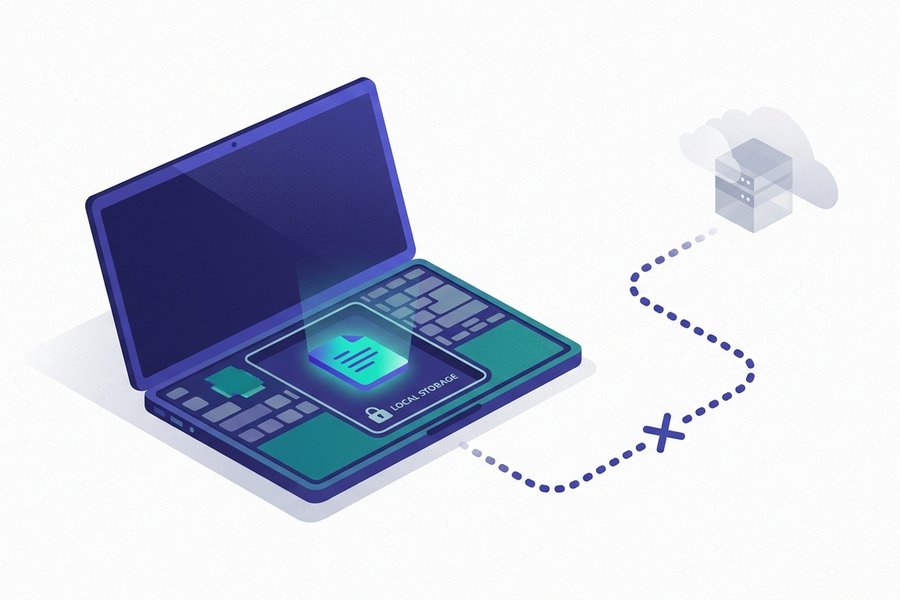
Your text stays in the browser you typed it in, and we cannot read it. A few hundred milliseconds after you stop typing, the editor writes the whole document into localStorage. That is a small storage area your browser keeps for each site, on your own disk. There is no upload, no account and no server-side copy. Your draft never arrives here.
The effect runs both ways. The text is private enough for contract drafts, unpublished writing and internal documents, and it survives closing the tab or rebooting. It does not survive clearing site data, and it will not follow you to a second browser or a second device. Treat the browser as a workbench and the .md download button as the filing cabinet.
At a glance
| Storage location | localStorage, on your own device |
|---|---|
| Sent to our server | Never - There is no upload step |
| Survives closing the tab | Yes, the draft reloads automatically |
| Survives clearing site data | No, the draft is deleted with it |
| Shared between devices | No, each browser keeps its own copy |
How the autosave actually works
- You can prove all of this in a minute with the Network tab. Nothing leaves carrying your text.
- Closing the tab or rebooting is harmless. Clearing cookies and site data is not.
- Work in one editor tab at a time. Two tabs share one key, and the last save wins.
- A private window is more fragile here, not more private.
- Download a
.mdfile at the end of a session and none of the above can hurt you.
What the editor saves, and when
localStorage is a small key-value store that browsers give each website. It sits on your own disk, and only pages from the same site can read it. As you type in the editor, a short timer restarts on every keystroke. About four tenths of a second after you pause, the current text is written under the key mdeditor.tw:doc. A brief "saved locally" note appears in the status bar. Reopen the page later and the draft is read straight back out.
Two limits worth knowing
- Only the latest state is kept. This is autosave, not version history. Each save overwrites the one before it.
- Storage is capped at a few megabytes per site. That is a huge amount of prose, but it is not a place to park base64 images.
How to verify it in a minute
You do not have to take our word for any of this. Open your browser's developer tools while you use the editor. The Network tab shows no request carrying your text. Under Application, or Storage, you can watch the draft sitting in localStorage for mdeditor.tw and updating as you type. Privacy built into the architecture is checkable. Privacy promised in a policy is not.
Why 'we can't read it' beats 'we won't'
Most privacy policies ask you to trust a company's intentions. This one does not have to, because the data never arrives. There is no document database, no server-side rendering of your words, no analytics event carrying your text.
The consequences are practical, not just principled. Nothing to leak in a breach. Nothing to hand over to a subpoena. Nothing to feed into model training. Nothing a change of ownership could quietly repurpose. It is why the editor suits work material you would never paste into a cloud tool without asking someone first.
Tip: If you have to explain this to a compliance reviewer, show them the Network tab rather than a policy page. "Processed in the user's browser" is a different answer from "encrypted on our servers", because the second still means a third party holds your text. The same architecture is what keeps the editor working offline.
What a draft survives, and what deletes it
Every case, in one table
The draft lives in browser storage rather than on a server, so its lifetime follows your browser's rules, not ours. These are the situations people actually run into:
| Situation | Draft survives | Why |
|---|---|---|
| Closing the tab or the whole browser | Yes | localStorage persists across sessions |
| Restarting or shutting down the computer | Yes | The data sits on your disk, not in memory |
| Hard reload with Ctrl+Shift+R | Yes | That clears the cache, not site storage |
| Clearing browsing history only | Usually yes | History and site data are separate checkboxes |
| Clearing cookies and site data | No | localStorage is deleted along with them |
| Private or incognito window closed | No | That storage is discarded by design |
| Same computer, different browser | No | Each browser has its own separate store |
| Different phone, laptop or tablet | No | There is no account, so there is no sync |
| Browser evicting storage under disk pressure | Rarely, no | Uncommon, but permitted by the browser |
The rule behind the table
One sentence covers all nine rows. Anything that merely ends a session is safe, and anything that erases site data is not. Read it once and you will not need the table again.
The two habits that actually lose work
Private windows feel safer, and are not
Beyond a deliberate wipe, two everyday habits account for most lost drafts. The first is writing in a private window because sensitive text "feels safer" there. It is not safer here, only more fragile. The tab was already local-only, and incognito throws its storage away the moment you close the window.
Two tabs, one storage key
The second habit is subtler. Every tab on this site shares one storage key, so two editor tabs are two writers pointing at one file. The last save wins:
Tab A   Draft of the launch email, 900 words
Tab B   Opened later "just to test a table"
Tab B   Types one character - Autosave overwrites the key
Tab A   Closed. The 900 words are no longer stored
The fix is a habit, not a setting
Work in one editor tab at a time, and download a .md file before you open a second one:
Tab A   Ctrl+S saves launch-email.md to disk
Tab A   Now safe to close, reopen or overwrite
Tab B   Free to experiment with anything
Watch out: Text still visible in an open tab is safe, whatever storage says. If you spot the clash while the good draft is on screen, select all, copy, and paste it somewhere permanent before you touch anything else.
A backup habit that never fails
Export when it would hurt to lose it
Treat localStorage as a scratchpad, not an archive. The habit that works is small. Export a .md file whenever a session produced something you would mind losing, then save it where your real files live. Naming the download as you save it is what makes the folder usable a year later:
~/Documents/writing/
  2026-07-24-product-update.md
  2026-07-19-team-offsite-notes.md
  2026-07-11-conference-talk.md
Why plain text ages so well
Markdown files are about as future-proof as a document gets. No lock-in, readable on anything, and diffable in version control. Put that folder inside a git repository and you have the revision history the editor deliberately does not keep. Getting back in is just as easy: open the file in any text editor, copy it, paste it into the editor and carry on writing.
If you are still weighing up whether a free, local-only tool fits your work, is MD Editor free lists the trade-offs without softening them.
Related questions
Try the Editor
Open Editor